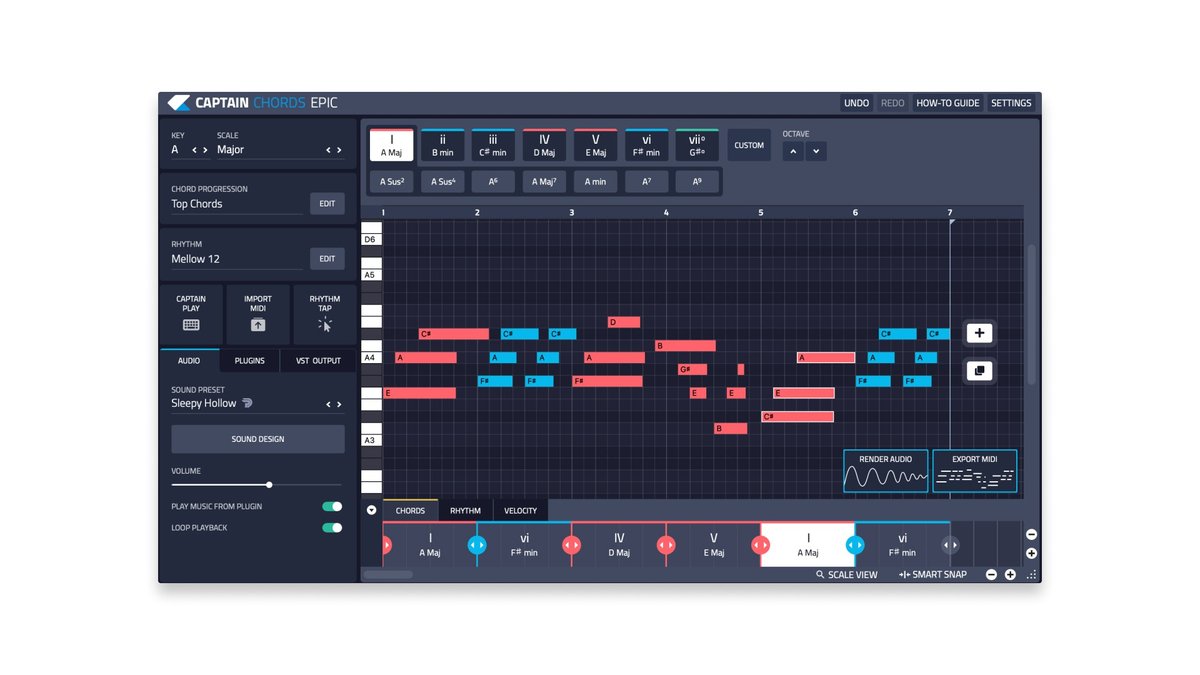
Unlocking New Melodies: Using a Chord Progression Generator Effectively to Speed up Songwriting
Every songwriter knows the feeling: that spark of an idea, a melody hinting at something beautiful, only to be dulled by the daunting task of finding the perfect chords. You noodle around, searching for that elusive harmonic sequence that truly captures the emotion. This is where using a chord progression generator effectively becomes a game-changer, transforming creative block into boundless possibility and dramatically speeding up your songwriting process.
Imagine having a tireless, theory-savvy co-writer available 24/7, ready to spin out fresh, inspiring chord progressions tailored precisely to your vision. AI-powered tools like TwoShot App and MusicCreator.ai are doing exactly that, democratizing advanced music theory and putting sophisticated harmonic foundations within reach of everyone from seasoned composers to absolute beginners.
At a Glance: Harnessing AI for Harmonic Inspiration
- Banish Writer's Block: Instantly generate unique chord progressions when inspiration wanes.
- Tailored Sound: Specify mood, key, and genre to get harmonies that fit your vision.
- No Theory Required: AI handles the complex musical rules, making it accessible to all skill levels.
- Customize & Refine: Adjust complexity, experiment with voicings, and iterate to perfection.
- Seamless Workflow: Export MIDI to your DAW for further production and arrangement.
- Royalty-Free Content: Use generated progressions for both personal and commercial projects without worry.
Beyond Writer's Block: Why AI-Powered Generators Are Changing the Game
For centuries, crafting compelling chord progressions has been a cornerstone of songwriting—and often, the biggest hurdle. You might have a killer chorus lyric or a hummable vocal line, but if the underlying harmony feels generic or just off, the whole song suffers. Traditionally, this meant diving deep into music theory, countless hours of trial and error, or relying on a limited repertoire of familiar patterns.
Today, AI-powered online chord progression generators are revolutionizing this process. Tools like TwoShot App and MusicCreator.ai leverage sophisticated algorithms to understand music theory and genre conventions, allowing you to bypass the technical heavy lifting and jump straight to the creative output. They're not just random chord machines; they're intelligent assistants designed to provide songwriting inspiration, quick harmonic foundations, and a powerful antidote to writer's block.
Who benefits from this harmonic revolution? Practically anyone involved in music creation:
- Songwriters looking for fresh ideas or a quick starting point.
- Producers needing to quickly lay down a track's harmonic backbone.
- Students eager to explore different keys and genres without getting bogged down in theory.
- Composers seeking unique sequences for film scores or classical pieces.
- Bands experimenting with new sounds for their next album.
- Game Developers crafting dynamic soundtracks and background music.
Ultimately, these generators empower you to focus on the emotional core of your music, letting the AI handle the intricate harmonic calculations.
From Idea to Harmony: Your Three-Step Journey with an AI Generator
The beauty of these tools lies in their simplicity. You don't need a music degree; you just need an idea of the sound you're going for. The process typically unfolds in a clear, intuitive three-step sequence, putting powerful harmonic capabilities right at your fingertips.
Step 1: Describe Your Vision
Think of this as giving the AI its marching orders. The more precise you are, the better the results. You'll typically be asked to specify:
- Mood: Do you want something uplifting, melancholic, epic, mysterious, or somewhere in between? This helps the AI select appropriate harmonic tendencies.
- Key: Choosing a key (e.g., A minor, C major, G major) establishes the tonal center and character of your progression. Don't worry if you're not sure; many tools can suggest common keys for different moods or genres.
- Genre: This is crucial. A pop progression will sound vastly different from a jazz or lo-fi sequence. Specify genres like pop, jazz, classical, R&B, EDM, rock, country, or lo-fi to guide the AI's stylistic choices.
- Instrument (Optional): Some generators, like TwoShot App, allow you to specify an instrument (guitar or piano). While the core chords remain the same, this can influence how the progression is presented or voiced.
By providing these inputs, you're not just clicking buttons; you're actively shaping the creative output, giving the AI a blueprint for your desired sound.
Step 2: Generate, Refine, and Experiment
Once you've described your sound, the AI gets to work. Within moments, it will generate a unique chord progression based on your parameters. But the process doesn't stop there. This is where effective use comes in:
- Adjusting Complexity: Many generators offer sliders or settings to control the harmonic complexity. If you're looking for a simple, catchy pop hook, keep it straightforward. For a deep, sophisticated jazz feel, crank up the complexity. This allows you to fine-tune the "flavor" of your chords.
- The "Random" Setting: Don't underestimate the power of randomness. When you're completely stuck, hitting "Random" can yield unexpected and inspiring results that you might never have conceived on your own. It's a fantastic way to break out of creative ruts and discover new harmonic territories.
- Iterate and Generate More: If the first progression isn't quite right, simply generate another. These tools are designed for quick iteration, encouraging you to explore multiple options until you find the perfect fit.
This interactive process ensures that you remain in the driver's seat, guiding the AI rather than passively accepting its first suggestion. For those keen to explore further, you can always try our chord progressions generator and experience this interactive process firsthand.
Step 3: Get Your Chords and Get Creative
Once you've landed on a progression you love, it's time to bring it into your musical world. This final step is all about integration and further customization:
- Audio Preview: Most generators, including TwoShot App, allow you to preview the generated progression via audio. This is invaluable for hearing how the chords sound in context and confirming your choices before exporting.
- MIDI Export: This is arguably the most powerful feature. You can export the progression as a MIDI file, which is a universal language for music software. MIDI files contain information about the notes played, their duration, and velocity, but no actual sound.
- DAW Integration: Import the MIDI file directly into your Digital Audio Workstation (DAW) like Ableton Live, Logic Pro, FL Studio, or Pro Tools. Once in your DAW, you can assign any virtual instrument (piano, strings, synths, guitar) to the MIDI track, letting you hear the progression with your preferred sounds.
- Further Editing: This is where the magic truly happens. In your DAW, you can:
- Change Instruments: Experiment with different sounds.
- Adjust Voicings: Tweak individual notes within chords, add inversions, or open/close voicings.
- Add Rhythms: Create a compelling rhythmic pattern for your chords.
- Extend/Shorten: Adapt the progression's length and structure to fit your song.
- Build the Song: Use the progression as a foundation for melodies, basslines, and drums.
- Built-in MIDI Editor: MusicCreator.ai goes a step further by featuring a built-in MIDI editor, allowing you to fine-tune the progression right within the generator's interface before even exporting to your DAW. This streamlines the editing process and offers immediate feedback.
This comprehensive workflow ensures that the generated progression isn't a dead end, but a living, adaptable foundation for your entire composition.
Beyond the Basics: Key Features That Elevate Your Harmonic Toolkit
The effectiveness of a chord progression generator isn't just about outputting a few chords; it's about the intelligence and flexibility baked into its design. Modern AI-driven tools offer a suite of capabilities that transform them from simple utilities into indispensable creative partners.
Intelligent, Theory-Aware Generation
At their core, these generators are powered by advanced AI that understands music theory. This means they're not just randomly throwing chords together. They:
- Generate across all keys and modes: From the brightest major keys to the moodiest minor modes, the AI can navigate the entire harmonic landscape.
- Adapt to genre-specific styles: The AI knows the difference between a catchy pop progression (e.g., I-V-vi-IV) and a complex jazz sequence (e.g., ii-V-I with extensions). It intelligently applies the harmonic language appropriate to your chosen genre—be it pop, jazz, blues, classical, EDM, rock, country, R&B, or lo-fi.
This theoretical understanding ensures that the generated progressions sound musical and coherent, no matter how simple or complex you choose them to be.
Diverse Chord Types
The richness of a progression often comes from its varied chord vocabulary. Leading generators support a wide range of chord types beyond simple major and minor triads:
- Triads: The fundamental building blocks (major, minor).
- 7ths: Adding color and tension (dominant 7th, major 7th, minor 7th, half-diminished 7th, diminished 7th).
- 9ths, 11ths, 13ths: For more sophisticated, jazzy, or expansive sounds.
- Suspended Chords (sus2, sus4): Creating anticipation and resolution.
- Augmented and Diminished Chords: Adding unique tension and chromaticism.
This extensive palette means the AI can craft anything from a simple folk song to a sprawling jazz fusion piece, all within your specified parameters.
Export Capabilities: MIDI and Audio
As discussed, MIDI export is paramount for DAW integration. Both TwoShot App and MusicCreator.ai prioritize MIDI files, allowing you to use the generated progressions with any instrument in your music software. TwoShot App further enhances this by offering audio export, which is useful for quick sharing or for when you just need a reference track. This flexibility ensures your creative flow isn't interrupted by format incompatibilities.
Time Signatures & Intelligent Voicings
While 4/4 time is standard, TwoShot App can accommodate other common time signatures like 3/4 or 6/8, providing rhythmic versatility. Beyond just the chords, intelligent generators also suggest chord voicings—how the notes of a chord are distributed across the instrument. This includes:
- Open Voicings: Notes spread out, creating a fuller, richer sound.
- Close Voicings: Notes kept tightly together, often used for clarity.
- Inversions: Rearranging the notes of a chord so that a note other than the root is in the bass, adding melodic interest and smoother transitions.
These nuanced details contribute significantly to the overall feel and musicality of a progression.
Accessibility for All Levels
Perhaps one of the most compelling features is accessibility. Both TwoShot App and MusicCreator.ai are explicitly designed to be beginner-friendly. You don't need any prior music theory knowledge. The AI handles all the complex chord matching, harmonic movement, and genre-specific rules behind the scenes. This opens up the world of sophisticated harmony to anyone with a musical idea, fostering creativity without the typical learning curve.
Royalty-Free & Cost-Effective
Both services are free to use, which is a huge benefit for independent artists and students. MusicCreator.ai explicitly states that its generated progressions are 100% royalty-free for commercial and personal use. This means you can confidently use these harmonies in your paid projects, film scores, game music, or albums without worrying about licensing fees or attribution. No downloads or sign-ups are required for MusicCreator.ai, streamlining the process even further. To explore how these powerful tools can enhance your music, check out our chord progressions generator.
Mastering the Machine: Advanced Strategies for Brilliant Progressions
While chord progression generators are incredibly intuitive, using a chord progression generator effectively goes beyond simply clicking "generate." It involves strategy, experimentation, and a willingness to collaborate with the AI rather than just consume its output.
1. Start with a Core Idea, Not a Blank Slate
Don't just plug in random settings. If you have a specific mood, a few melodic notes, or even a lyrical theme, use that as your starting point.
- Example: "I want a melancholic, slightly hopeful progression in C minor for a verse." This provides far more guidance than just picking "C minor."
- Benefit: This pre-conceptualization helps you steer the AI towards your artistic vision, making the results more relevant and inspiring.
2. Experiment with Different Keys and Modes
Even if you have a key in mind, try transposing the same general idea into a parallel major/minor or even an entirely different mode (e.g., Dorian, Lydian).
- Example: An emotional progression in A minor like Am - F - C - G might feel different in C major (C - G - Am - F) or even E minor.
- Benefit: Exploring different keys and modes can entirely change the emotional landscape of your progression, offering new perspectives on your core idea.
3. Genre-Bending and Blending
Don't be afraid to mix genres. Ask for a "pop" progression but then select a "jazz" complexity, or generate an R&B sequence and then try a "classical" voicing.
- Example: Generating a "lo-fi" progression but then increasing its complexity for a more unique sound.
- Benefit: This can lead to truly unique and innovative harmonic blends that defy easy categorization, pushing the boundaries of your sound.
4. Leverage Complexity Settings Intelligently
The complexity slider isn't just for making things harder. Use it purposefully:
- Low Complexity: Ideal for verses, catchy choruses, or when you need a clear, foundational structure.
- Medium Complexity: Great for building intensity or adding slight harmonic interest.
- High Complexity: Perfect for bridges, instrumental breaks, or if you're aiming for a sophisticated, jazz-influenced sound.
- Benefit: Understanding how complexity impacts the harmonic language allows you to sculpt progressions that serve different sections of your song effectively.
5. The Power of "Random" (Used Sparingly)
While specifying parameters is good, sometimes your best ideas come from unexpected places. Hit the "Random" button when you're truly stuck or if you want to challenge your own musical habits.
- Strategy: Generate a random progression, then analyze it. Even if you don't use it directly, it might contain a single interesting chord change or voicing that you can extract and incorporate into another progression.
- Benefit: "Random" can be a powerful tool for breaking mental blocks and exposing you to harmonic concepts outside your usual comfort zone.
6. Iterate and Refine in Your DAW
The generated progression is a starting point, not a finished product.
- Add Melodic Embellishments: Once in your DAW, layer melodies over the chords.
- Create a Bassline: Develop a compelling bassline that interacts with the harmony.
- Develop Rhythms: Experiment with different rhythmic patterns for the chords themselves.
- Change Voicings and Inversions: Don't just use the AI's suggested voicing. Move notes around, create inversions, and find what sounds best for your specific instrument and context.
- Benefit: The real artistry happens when you take the AI's foundation and infuse it with your unique musicality and production choices. This is where you truly make the progression yours.
Common Pitfalls and How to Avoid Them
Even with powerful tools, it's easy to fall into traps that hinder your creativity rather than enhance it. Be mindful of these common missteps:
1. Over-Reliance on AI
Pitfall: Treating the generator as a black box that spits out perfect, complete progressions every time. This can lead to generic-sounding music or a feeling that you're not truly creating.
Avoidance: View the AI as a creative partner, not a replacement. Use it for inspiration, starting points, and overcoming blocks, but always be ready to adapt and modify its output.
2. Ignoring Your Artistic Voice
Pitfall: Letting the AI dictate your sound entirely. If you're constantly generating progressions that feel "off" but you use them anyway, you lose your unique artistic fingerprint.
Avoidance: Know what you like and what your song needs. Be critical of the AI's suggestions and don't hesitate to generate multiple options until you find something that resonates with your vision.
3. Not Customizing Generated Output
Pitfall: Exporting a MIDI file directly into your DAW and using it exactly as is, without any further editing or interaction.
Avoidance: Always import into your DAW and experiment. Change voicings, add inversions, layer instruments, adjust rhythm, or even slightly alter a chord here and there. This is where you inject your personality into the AI's output.
4. Sticking to Only One Generator or Approach
Pitfall: Limiting yourself to a single tool or a single method of using it.
Avoidance: Explore different chord progression generators (like TwoShot App and MusicCreator.ai) to see what unique strengths each offers. Also, don't forget traditional methods like playing an instrument or singing melodies. The AI is a tool in your arsenal, not your entire arsenal. Remember, the goal is to speed up songwriting, not replace the songwriter. For more innovative ways to approach your music, our chord progressions generator could offer fresh perspectives.
Real-World Application: From Idea to Arrangement
Let's illustrate how a generated progression can kickstart an entire track.
Imagine you're aiming for an emotional ballad. You go to your favorite chord progression generator, set the mood to "emotional," the key to "A minor," and the genre to "ballad." The AI might present you with something like: Am - F - C - G.
This is a classic, powerful progression for a reason. Now, how do you turn this into a full arrangement?
- Export & Import: Export the MIDI file and import it into your DAW.
- Instrument Choice: Assign a warm piano sound to the MIDI track. Immediately, you have a foundation.
- Rhythmic Variation: Instead of just playing whole notes, try a gentle arpeggio pattern for the piano in the verse, then switch to sustained chords with a subtle rhythmic pulse for the chorus.
- Bassline: Create a simple bassline that emphasizes the root notes (A, F, C, G) but adds melodic interest. Perhaps it plays a sustained whole note in the verse and a more active eighth-note pattern in the chorus.
- Melody Development: With the harmonic and rhythmic foundation in place, sing or play melodies over the progression. The chords provide guideposts for your vocal line or lead instrument.
- Dynamics & Structure: Think about how the progression moves. Am - F - C - G could be a verse. For a pre-chorus, perhaps the generator offers a slight variation like Dm - Am - G. For the chorus, maybe back to Am - F - C - G but with more instrumental layers and intensity.
- Voicing & Inversions: In the DAW, experiment with the piano voicings. For the Am, try an inversion so the C is in the bass, creating a smoother transition to the F.
Suddenly, a simple four-chord progression has become the scaffolding for a rich, dynamic musical piece. The AI provided the initial spark, but you are the architect who built the entire structure around it.
Frequently Asked Questions (FAQs)
Do I need music theory knowledge to use a chord progression generator effectively?
No, absolutely not! This is one of the greatest strengths of AI-powered generators. They are designed to be beginner-friendly, handling all the complex music theory behind the scenes. You simply describe your desired sound (mood, key, genre), and the AI applies its knowledge to generate harmonious and coherent progressions.
Are the progressions truly unique, or will I hear them in other songs?
While the AI generates unique sequences based on your inputs, music operates within established harmonic principles. You might find similarities to common progressions (like the Am - F - C - G example), as these are popular for a reason. However, the specific voicings, rhythms, and permutations the AI creates are unique to each generation. The key is to use them as a starting point and personalize them further in your DAW, making them truly your own.
Can I use generated chord progressions for commercial projects?
Yes, for many generators! MusicCreator.ai explicitly states that its generated progressions are 100% royalty-free for both commercial and personal use. This means you can confidently use them in your albums, film scores, game soundtracks, or any other project where you intend to earn revenue, without worrying about licensing or intellectual property rights. Always double-check the terms of service for the specific generator you're using, but this is a common benefit.
What about advanced chord voicings and inversions?
Intelligent generators like TwoShot App often suggest smart chord voicings (open, close, inversions) as part of their output. However, the real power comes when you export the MIDI to your DAW. There, you have complete control to adjust every single note, create custom voicings, experiment with different inversions, and fine-tune the harmonic texture to perfectly suit your track. The generator provides a solid foundation; your DAW is where you sculpt the sonic details.
Your Next Harmonic Adventure Awaits: Taking the Leap
The landscape of music creation is constantly evolving, and AI-powered chord progression generators represent a significant leap forward for songwriters, producers, and creators of all stripes. They demystify complex music theory, provide an endless wellspring of inspiration, and offer a powerful solution to writer's block.
By understanding how these tools work, leveraging their diverse features, and adopting smart strategies for their use, you can dramatically accelerate your workflow and unlock new creative possibilities. Don't view these generators as shortcuts that diminish your creativity, but rather as powerful collaborators that empower you to focus on what truly matters: telling your musical story.
So, if you're ready to break free from harmonic ruts, explore uncharted melodic territories, and bring your musical ideas to life faster than ever before, it's time to start using a chord progression generator effectively. Your next great song might be just a few clicks away.